
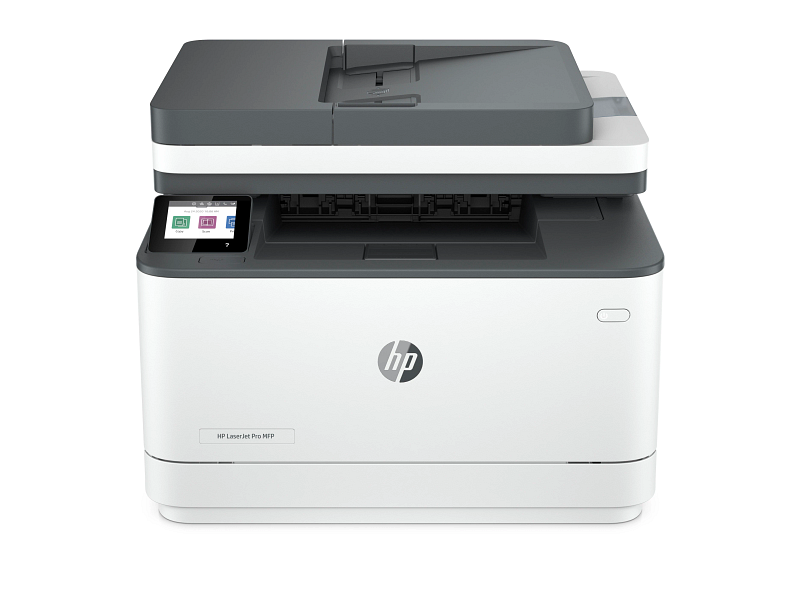
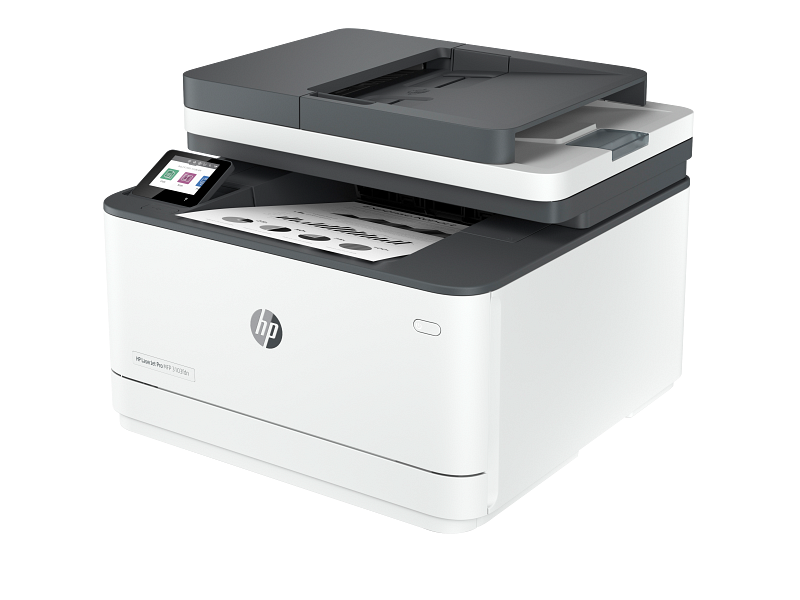
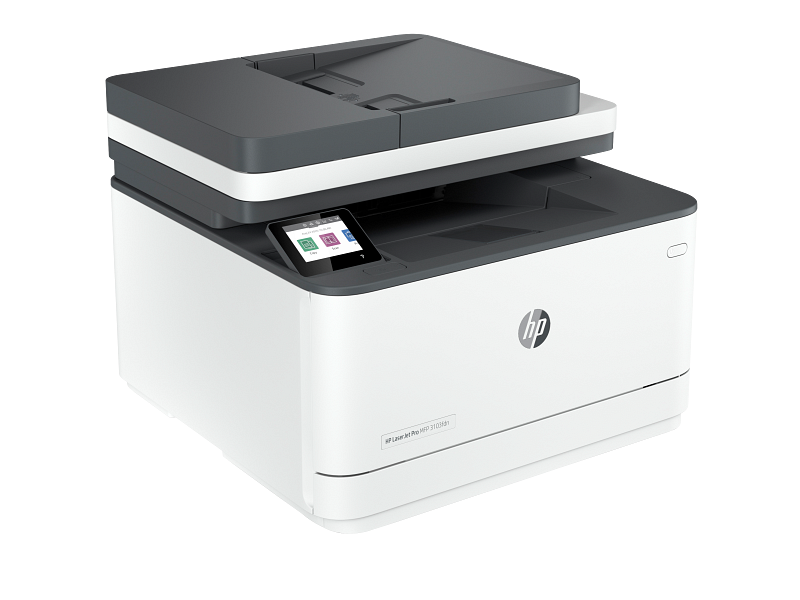
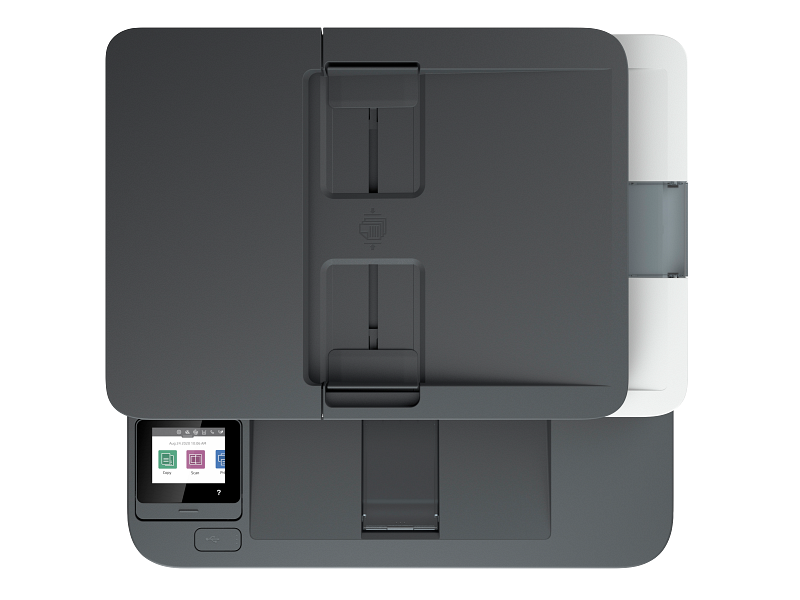

The HP LaserJet Pro MFP 3103fdn is a monochrome laser all-in-one that prints, copies, scans and faxes. It suits small offices, school administration desks and student groups that produce lots of text documents. Because it connects over Ethernet, several people can share it without passing around a USB cable.
Key Features & Benefits
- 33 pages per minute with automatic two-sided printing: Reports, assignments and invoices finish quickly. Additionally, duplex printing cuts paper use roughly in half on long documents.
- 50-sheet automatic document feeder (ADF): You can load a stack of pages and walk away while it copies or scans. As a result, digitising receipts, contracts or lecture notes takes far less hands-on time.
- Built-in fax with 500-page memory: Offices that still exchange documents with banks, clinics or government agencies get a dedicated fax line. Incoming faxes are stored in memory if paper runs out.
- Wired Ethernet networking with mobile printing: The whole team prints from one shared device on the office LAN. However, note this model has no Wi-Fi; phones print via AirPrint, Mopria or the HP app over the network your router provides.
- 2.7-inch colour touchscreen: You choose copy settings, scan destinations and fax numbers directly on the printer. For instance, saving up to 200 speed-dial numbers makes repeat faxing quicker.
Technical Specifications
Printing
- Functions: Print, copy, scan, fax
- Print technology: Monochrome laser (black only)
- Print speed: Up to 33 ppm (A4); up to 35 ppm (Letter)
- First page out: As fast as 7.0 seconds (A4, from ready) – useful when you print single pages often
- Duplex printing: Automatic (standard)
- Print resolution: Up to 1200 x 1200 dpi – sharp, small text on forms and contracts
- Print languages: PCL5c, PCL6, PostScript, PDF, URF, PWG, PCLm
- Monthly duty cycle: Up to 50,000 pages (maximum, not a daily target)
- Recommended monthly volume: 350 – 2,500 pages – the range for longest service life
Scanning & Copying
- Scanner type: Flatbed plus 50-sheet ADF
- ADF duplex scanning: No – double-sided originals need flipping manually
- Scan resolution: Up to 1200 x 1200 dpi (flatbed); up to 300 x 300 dpi (ADF)
- Scan speed (A4): Up to 19 ppm black-and-white; up to 8 ppm colour
- Scan formats: PDF, PDF/A, JPG, TIFF, XPS
- Colour scanning: Yes – it scans in colour but prints in black only
- Copy speed: Up to 33 cpm (A4)
- Copy resolution: Up to 300 dpi
- Reduce/enlarge: 25% to 400%
- Maximum copies per job: 999
Fax
- Modem speed: 33.6 kbps (approximately 3 seconds per page)
- Fax resolution: Up to 300 x 300 dpi
- Fax memory: Up to 500 pages
- Speed dials: Up to 200 numbers
- Requirement: An active analogue telephone line
Paper Handling
- Input tray: 250 sheets or 10 envelopes – about half a ream before refilling
- Output tray: 150 sheets
- Paper sizes: A4, A5, A6, B5, B6, Oficio, 10 x 15 cm, envelopes (DL, C5, C6, B5)
- Custom sizes: 76 – 216 mm wide x 127 – 356 mm long
- Media types: Plain paper, labels, card stock, postcards, envelopes
Connectivity & Compatibility
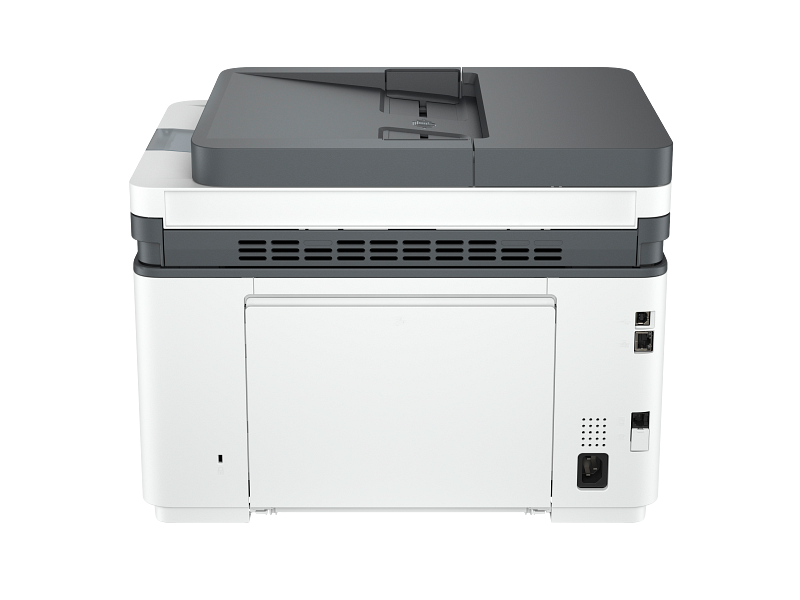
- Ports: Hi-Speed USB 2.0; 10/100 Mbps Ethernet (RJ-45); fax line (RJ-11)
- Wireless: Not supported
- Mobile printing: Apple AirPrint, Mopria certified, HP app (over the wired network)
- Windows: Windows 11 and Windows 10 (full software); Windows Server – print driver only
- macOS: macOS 10.15 Catalina and later, including macOS 15 Sequoia
- Linux: Supported via HPLIP drivers
- Not supported: Windows 8/8.1, Windows Vista, Windows XP
Performance & Controls
- Processor: 800 MHz
- Memory: 512 MB (no internal hard drive)
- Display: 2.7-inch colour touchscreen
Security
- Password-protected embedded web server
- Enable/disable individual network ports
- 802.1X network authentication
- SNMPv1 community password change
Toner & Supplies
- In the box: Starter black toner cartridge (~1,000 pages)
- Replacement toner (region-dependent): HP 145A (W1450A, ~1,700 pages) or high-yield HP 145X (W1450AX, ~3,800 pages) in HP’s Asia and Africa listings; HP 139A/139X in European listings
- Tip: High-yield cartridges lower your cost per page if you print several hundred pages a month
Power & Environment
- Input voltage: 220 – 240 VAC, 50/60 Hz (Kenyan mains compatible)
- Power use: 436 W printing; 4.5 W ready; 1.31 W sleep; 0.06 W off
- Operating temperature: 15 – 32.5 °C
- Operating humidity: 10 – 80% RH (30 – 70% recommended)
- Ecolabel: Blue Angel (DE-UZ 219)
Dimensions & Weight
- Dimensions (W x D x H): 418 x 398 x 313 mm – fits on a standard office desk or side table
- Maximum (trays and lid open): 427 x 759 x 476 mm
- Weight: 10.5 kg with starter cartridge
What’s in the Box
- HP LaserJet Pro MFP 3103fdn printer
- Preinstalled starter black toner cartridge (~1,000 pages)
- Power cord
- Setup guide, reference guide, regulatory flyer and warranty guide
- Note: A USB cable and Ethernet cable are not listed as included
Warranty
- One-year limited manufacturer warranty
Use Cases & Applications
Small and Medium Businesses
Small offices of a few people can share one HP LaserJet Pro MFP 3103fdn over the LAN. It handles invoices, delivery notes, quotations and contracts. Additionally, the ADF speeds up scanning KRA documents, receipts and signed agreements to PDF.
Schools, Colleges and Administration Offices
Admissions and finance desks print forms, fee statements and circulars in volume. Meanwhile, the flatbed scanner handles ID copies and certificates one at a time.
Students and Study Groups
It works well for student associations, shared hostel rooms or department offices that print lots of notes and past papers. Duplex printing keeps paper costs down on long handouts. However, a single student printing a few pages a week may find a smaller printer more practical.
Print and Cyber Service Points
Small print shops can run text-heavy jobs such as CVs, forms and assignments. The 50,000-page duty cycle gives headroom during busy periods.
Will It Work With Your Setup?
Does the HP LaserJet Pro MFP 3103fdn have Wi-Fi?
No. It connects by Ethernet cable or USB. If you need wireless printing without a router connection, consider the HP LaserJet Pro MFP 3103fdw (3G632A), which adds Wi-Fi.
Can I print from my phone?
Yes, as long as the printer is cabled to the same router your phone uses. It supports Apple AirPrint, Mopria (most Android phones) and the HP app.
Does it print in colour?
No. It prints black only. However, it can scan in colour to PDF or JPG.
Is it compatible with my laptop?
It works with Windows 11 and 10, macOS Catalina and later, and Linux. Windows 8 and older are not supported.
Do I need a phone line for faxing?
Yes. Faxing requires an analogue landline. Printing, copying and scanning work without one.
How long does the starter toner last?
The included cartridge yields about 1,000 pages. After that, a standard or high-yield replacement is needed.
How does it compare with an inkjet or ink tank printer?
Laser toner does not dry out during weeks of no use. It also produces crisper text. On the other hand, ink tank printers can print colour photos, which this model cannot.
Important Notes (Merchant Verification Before Publishing)
- Replacement toner model: HP lists 145A/145X in Asia and South Africa, but 139A/139X in Europe. Confirm which cartridge HP supplies for the Kenyan unit.
- Cables included: HP’s box list does not include a USB or Ethernet cable. Confirm what ships locally.
- Warranty terms: Confirm local warranty length and whether it is carry-in or on-site.
- Power plug type: Confirm the cord matches Kenyan (Type G) sockets.
- Fax region settings: Confirm the fax is configured for Kenyan telephone lines.
- Colour/finish: Confirm the unit colour (typically white/grey) against stock photos.
Available at Novelty Technologies Solutions






Reviews
There are no reviews yet.