
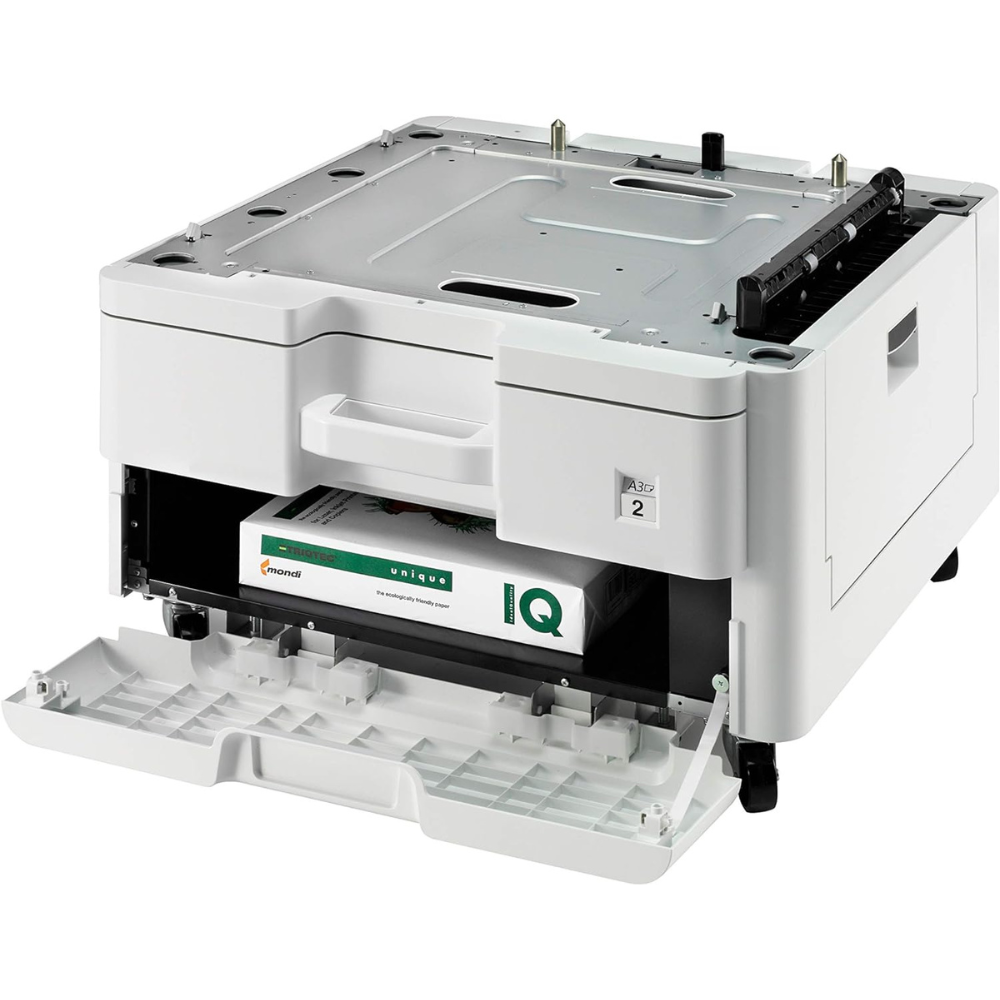
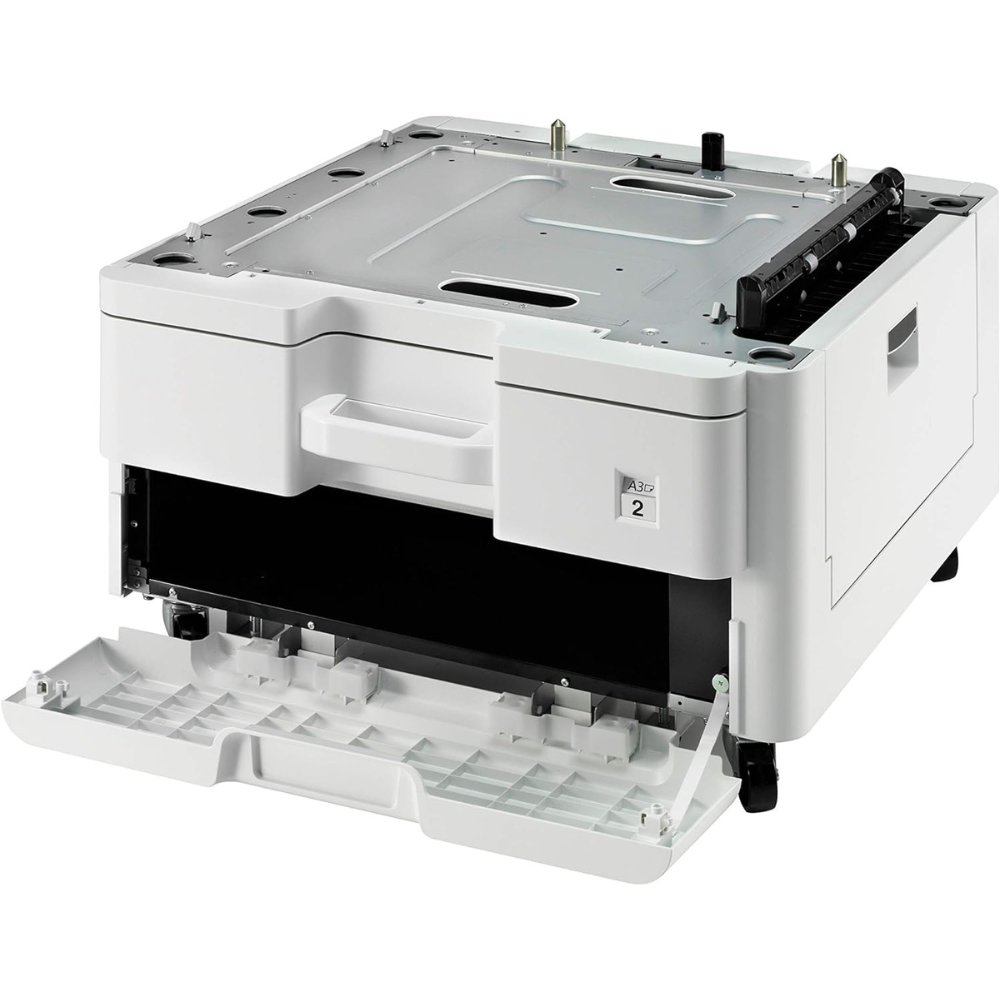

The Kyocera PF-470 is an optional 500-sheet paper feeder for Kyocera’s A3 ECOSYS multifunction printers. It sits under the machine and adds a second paper drawer, plus a storage compartment below. Offices, schools and print rooms use it to keep A3 and A4 loaded at the same time.
Key Features & Benefits
- Extra 500-sheet paper drawer: The feeder roughly doubles your standard paper capacity. As a result, staff reload paper far less often during busy print days.
- A3 and A4 ready at once: You can keep A4 in the main tray and A3 in the PF-470. Therefore, nobody swaps paper when switching from letters to posters or spreadsheets.
- Automatic cassette switching: When one tray runs empty, the printer continues from the other tray holding the same size. Long print runs finish without stopping.
- Handles card stock up to 163 g/m²: The drawer feeds plain paper, letterhead and lighter card. For instance, certificates and report covers can sit in their own dedicated tray.
- Built-in storage drawer: The lower compartment holds spare reams or toner next to the machine. Additionally, it raises the printer to a more comfortable working height.
Technical Specifications
Paper Handling
- Capacity: 500 sheets (80 g/m² paper) – one standard ream
- Paper weight: 60 – 163 g/m² – from thin copy paper to light card
- Standard sizes: A3, A4, A5, B5, Letter, Legal
- Custom sizes: 98 x 148 mm to 297 x 432 mm
- Design: Single 500-sheet cassette with storage drawer underneath
Effect on Total Capacity (ECOSYS M4125idn / M4132idn example)
- Standard machine: 600 sheets (500-sheet tray + 100-sheet multipurpose tray)
- With PF-470: 1,100 sheets
- Alternative: The PF-471 (2 x 500 sheets) brings the total to 1,600 sheets
Compatibility
- ECOSYS (current): M4125idn, M4132idn, M8124cidn, M8130cidn
- FS series (older): FS-6025MFP, FS-6030MFP, FS-6525MFP, FS-6530MFP
- FS colour series (older): FS-C8020MFP, FS-C8025MFP, FS-C8520MFP, FS-C8525MFP
- Not compatible with: TASKalfa 1800/1801/2200/2201 – those use the PF-480 instead
Physical
- Dimensions (W x D x H): 590 x 590 x 352 mm
- Weight: Approximately 21 kg
- Mounting: Installs directly under the printer; connects through the base
Related Options
- CB-473 base unit: Metal riser that adds height; used only with the PF-470 or PF-471
- CB-472 cabinet: Desk cabinet with castors for the printer stack
Part Numbers
- International/EU: 1203NP3NL0
- US: 1203NP2US0
Use Cases & Applications
Offices and Businesses
Finance and admin teams often print A4 letters alongside A3 spreadsheets and drawings. With the Kyocera PF-470, both sizes stay loaded. Meanwhile, the storage drawer keeps spare paper and toner within reach.
Schools, Colleges and Universities
Departments printing exam papers, handouts and A3 timetables benefit from the extra capacity. Additionally, a dedicated tray for 160 g/m² card simplifies printing certificates.
Campus and Cyber Print Rooms
Shops serving students handle assignments, project covers and A3 posters through the day. A second drawer reduces queues caused by swapping paper.
Architecture, Engineering and Design Offices
A3 plans, layouts and presentation boards print from their own tray. As a result, A4 correspondence is never interrupted.
Will It Work With Your Setup?
Which printers does the Kyocera PF-470 fit?
It fits the ECOSYS M4125idn, M4132idn, M8124cidn and M8130cidn. It also fits the older FS-6025/6030/6525/6530MFP and FS-C8020/8025/8520/8525MFP.
Does it work with the TASKalfa 1800 or 2200?
No. Those models use the PF-480 300-sheet cassette.
What is the difference between the PF-470 and PF-471?
The PF-470 adds one 500-sheet drawer plus a storage compartment. The PF-471 adds two 500-sheet drawers, for 1,000 extra sheets.
Can it feed A3 paper?
Yes. It accepts A3, A4, A5, B5, Letter, Legal and custom sizes up to 297 x 432 mm.
Can it handle heavy card or glossy photo paper?
It feeds paper up to 163 g/m². For heavier card, use the printer’s multipurpose bypass tray instead.
Is installation difficult?
The printer sits on top of the feeder, which connects through the base. However, the printer is heavy, so two people or a technician should lift it.
Do I need to install drivers?
Usually not. The printer detects the new tray, though you may need to enable it in the driver’s device settings.
Important Notes (Merchant Verification Before Publishing)
- Part number: Confirm the unit is 1203NP3NL0 (international) rather than the US 1203NP2US0.
- Weight: The 21 kg figure comes from a reseller listing; confirm from the packaging or Kyocera datasheet.
- Storage drawer: Confirm the local unit includes the cabinet drawer shown in product images.
- Compatibility list: Confirm against the customer’s exact model before sale.
- Warranty: Confirm local warranty length for accessories.
- Condition: Confirm the unit is new, not refurbished or ex-lease.
Available at Novelty Technologies Solutions






Reviews
There are no reviews yet.