
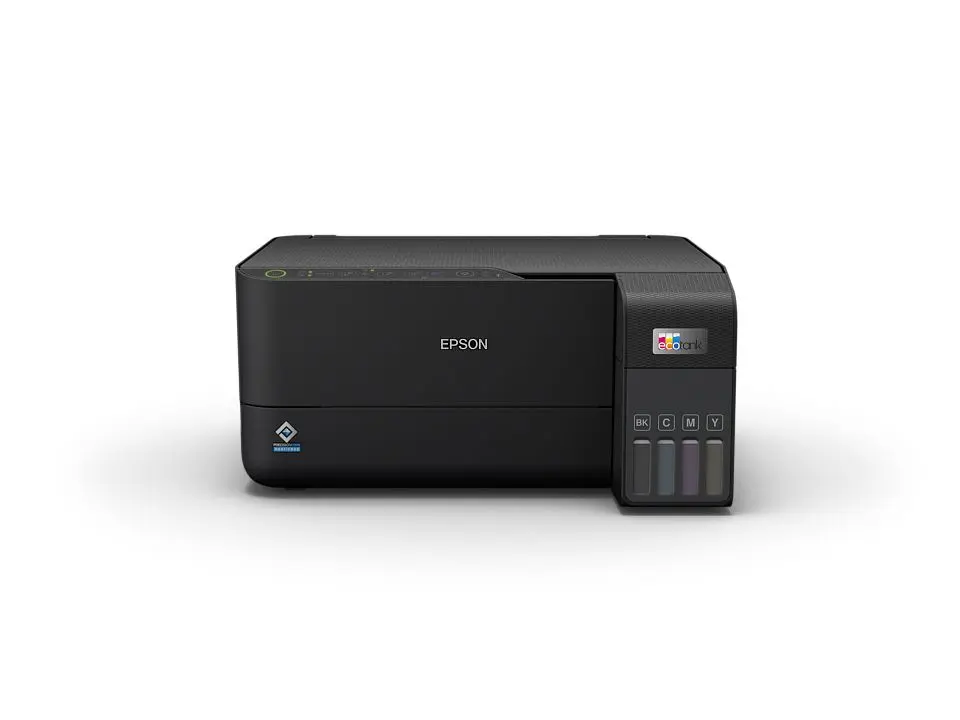
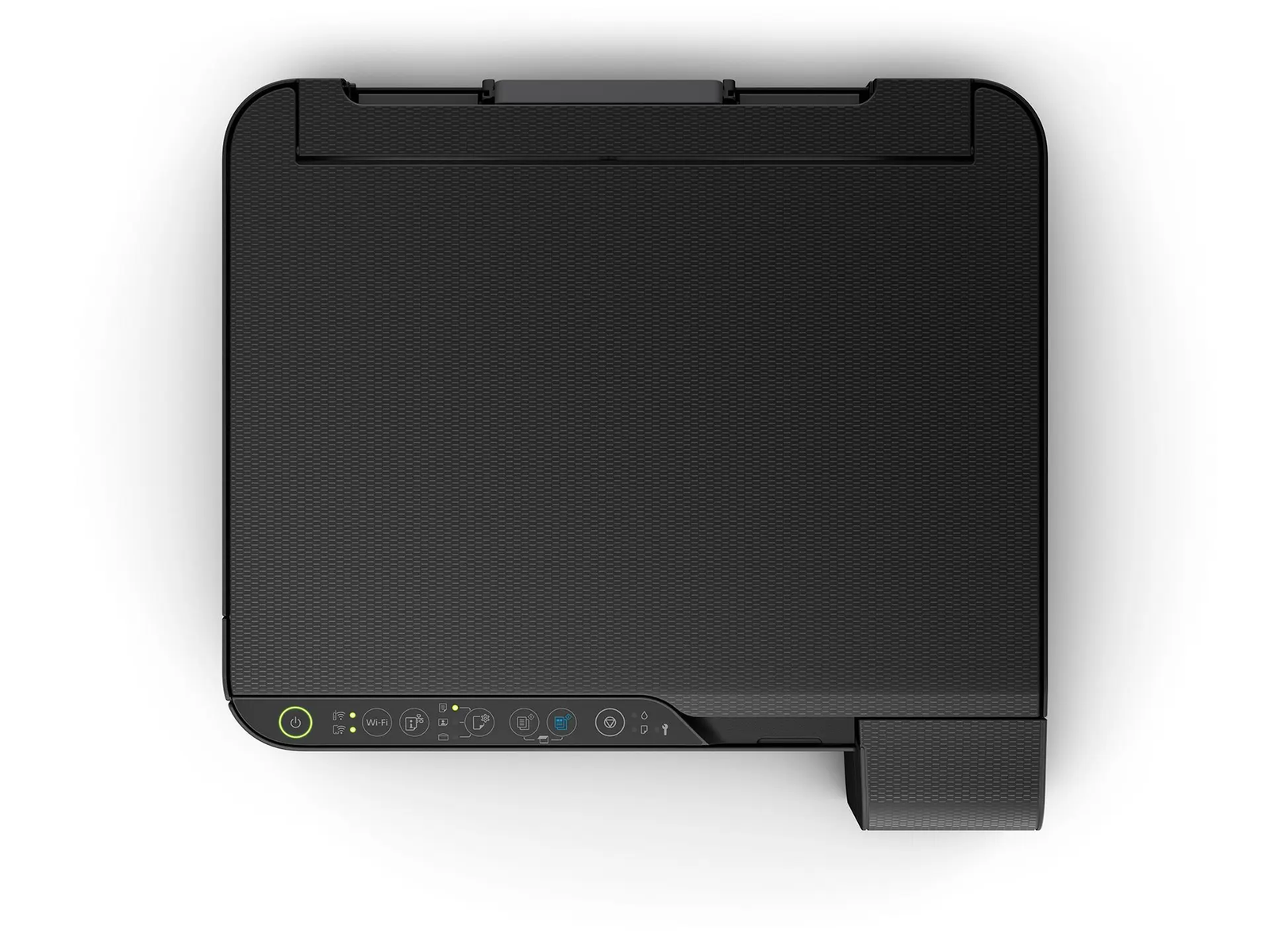

The Epson EcoTank L3550 is an A4 all-in-one ink tank printer that prints, copies and scans. It uses refillable ink tanks instead of cartridges, so running costs stay low as print volume grows. As a result, it suits students printing assignments and small businesses handling daily paperwork.
Key Features & Benefits
- Refillable 103 ink tank system: The included ink prints up to 6,600 black and 5,900 colour pages. Consequently, you spend less time and money replacing consumables than with cartridge printers.
- PrecisionCore print head: The L3550 prints at 15 pages per minute in black and 8 in colour (ISO standard). That makes it noticeably quicker than earlier EcoTank models like the L3250 for multi-page documents.
- Wi-Fi and Wi-Fi Direct: Several people can print from laptops and phones without cables. Additionally, Wi-Fi Direct lets a phone connect even when no router is available.
- Epson Smart Panel app: You can set up the printer, print, scan and check ink levels from your phone. For instance, a student can scan handwritten notes straight to a phone as a PDF.
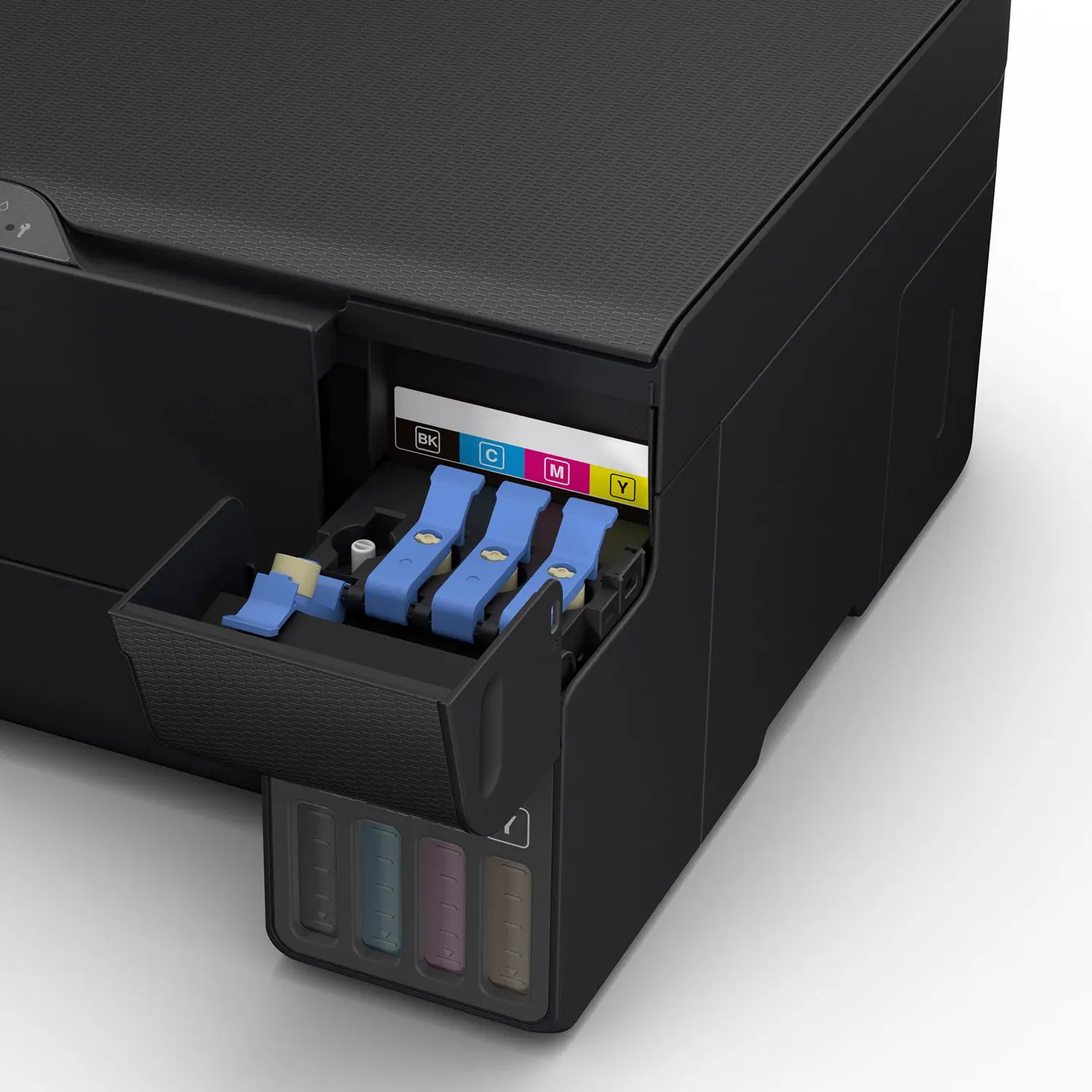
- Key-lock bottles and front-facing tanks: Each bottle fits only its matching colour tank. Therefore, refills are mess-free, and you can check ink levels at a glance.
Technical Specifications
Printing
- Print technology: PrecisionCore print head, 4-colour dye ink
- Maximum resolution: 4800 x 1200 dpi
- Minimum droplet size: 3.3 pl with Variable-Sized Droplet Technology
- ISO print speed (ISO/IEC 24734): 15 ipm black / 8 ipm colour – realistic speed for everyday documents
- Draft mode speed: Up to 33 ppm black / 20 ppm colour – useful for internal drafts and notes
- Duplex printing: Manual (you flip pages when prompted)
- Borderless printing: Up to 10 x 15 cm (4R photos)
Scanning & Copying
- Scanner type: Flatbed, Contact Image Sensor (CIS)
- Scan resolution: 1200 x 2400 dpi – sharp enough for documents and receipts
- Copy resolution: 600 x 600 dpi
- Maximum scan/copy size: A4
Ink & Consumables
- Ink series: Epson 103 (Black, Cyan, Magenta, Yellow) in 65 ml bottles
- Included ink: 4 colour bottles plus 1 extra black bottle
- Included-set yield: Up to 6,600 pages black / 5,900 pages colour
- Typical duration: Up to 3 years at 100 A4 pages per month, according to Epson
- Maintenance box: User-replaceable (shared with XP-3100/XP-4100/WF-2810/WF-2830/WF-2850)
Paper Handling
- Input capacity: Up to 100 sheets of plain paper (80 g/m²), or 20 sheets of glossy photo paper
- Supported sizes: A4, A5, A6, B5, B6, 10 x 15 cm, 13 x 18 cm, 9 x 13 cm, 100 x 148 mm
- Envelopes: C6, DL, No. 10
Connectivity & Compatibility
- Interfaces: Hi-Speed USB 2.0, Wi-Fi IEEE 802.11b/g/n, Wi-Fi Direct
- Wireless security: WEP, WPA-PSK (TKIP), WPA2-PSK (AES), WPA3-SAE (AES)
- Mobile and cloud printing: Epson Smart Panel app, Apple AirPrint, Epson Connect (Email Print, Remote Print Driver)
- Windows: Windows XP SP3 to Windows 11; Windows Server 2003 to 2016
- Mac: Mac OS X 10.9.5 or later, macOS 11 or later
Physical
- Dimensions (W x D x H): 375 x 347 x 179 mm – fits a standard desk or shelf
- Noise level: 41 dB(A) in photo mode
- Country of origin: Philippines
In the Box
- Main unit, power cable, setup guide, warranty document
- 4 x 65 ml ink bottles (Black, Cyan, Magenta, Yellow) + 1 extra black bottle
Who Is the Epson EcoTank L3550 Ideal For?
Students
- Printing assignments, research papers and project reports without worrying about cartridge costs
- Scanning handwritten notes, certificates and ID documents to a phone or laptop
- Sharing one printer across a hostel room or family household over Wi-Fi
Small Businesses & Home Offices
- Printing invoices, quotations, delivery notes and receipts every day
- Scanning signed contracts and KRA documents for email or cloud storage
- Letting a small team print from their own laptops without a shared cable setup
- Producing basic colour flyers, price lists and borderless 4R product photos
Will the Epson L3550 Work With Your Setup?
Does it work with phones? Yes. It works with Android and iPhone through the Epson Smart Panel app. iPhones and iPads can also print directly via Apple AirPrint.
Can I print without a Wi-Fi router? Yes. Wi-Fi Direct creates a direct connection between your phone or laptop and the printer.
Does it print on both sides automatically? No. Duplex printing is manual. The printer prints one side, and you reinsert the pages to print the other.
Does it have an automatic document feeder (ADF)? No. Scanning and copying use a flatbed, one page at a time. For high-volume multi-page scanning, consider a model with an ADF instead.
How long does the ink last? Epson rates the included ink at up to 6,600 black pages. At about 100 pages per month, that is up to 3 years before a refill. However, heavy colour printing will use ink faster.
Which ink should I buy for refills? Use Epson 103 ink bottles. The L3550 sold in Kenya uses the 103 series, not the 003 series sold in some Asian markets.
How does it compare to a laser printer? A mono laser printer is better for very high volumes of black-only documents. However, the L3550 adds colour printing, photo printing and scanning at a low cost per page. Note that dye ink can smudge if pages get wet.
Important Notes
- Page yields are Epson’s figures based on ISO/IEC test patterns. Actual yields vary with content, paper type and print frequency. Initial setup uses some ink to prime the print head, so the first set yields slightly less.
- Some local listings quote 4,300 black / 7,300 colour pages. Those figures belong to the Asian 003-ink version. The Middle East & Africa version (C11CK59405) uses 103 ink.
- Dye-based ink produces vivid colour but is not water-resistant.
Items to Confirm Before Publishing
- Unit SKU matches C11CK59405 (Middle East & Africa version with 103 ink)
- Bundled ink: 5 bottles (4 colours + extra black) as per the regional datasheet
- Warranty period and terms offered in Kenya (typically 1 year; confirm with distributor)
- Product weight (not listed on the regional datasheet)
- Control panel type (button panel vs. display) on the stocked unit
- USB cable inclusion (not listed in the box contents)
- Paper input capacity and scan/copy resolution (sourced from retailer listings, not the regional datasheet)
Available at Novelty Technologies Solutions



Reviews
There are no reviews yet.