
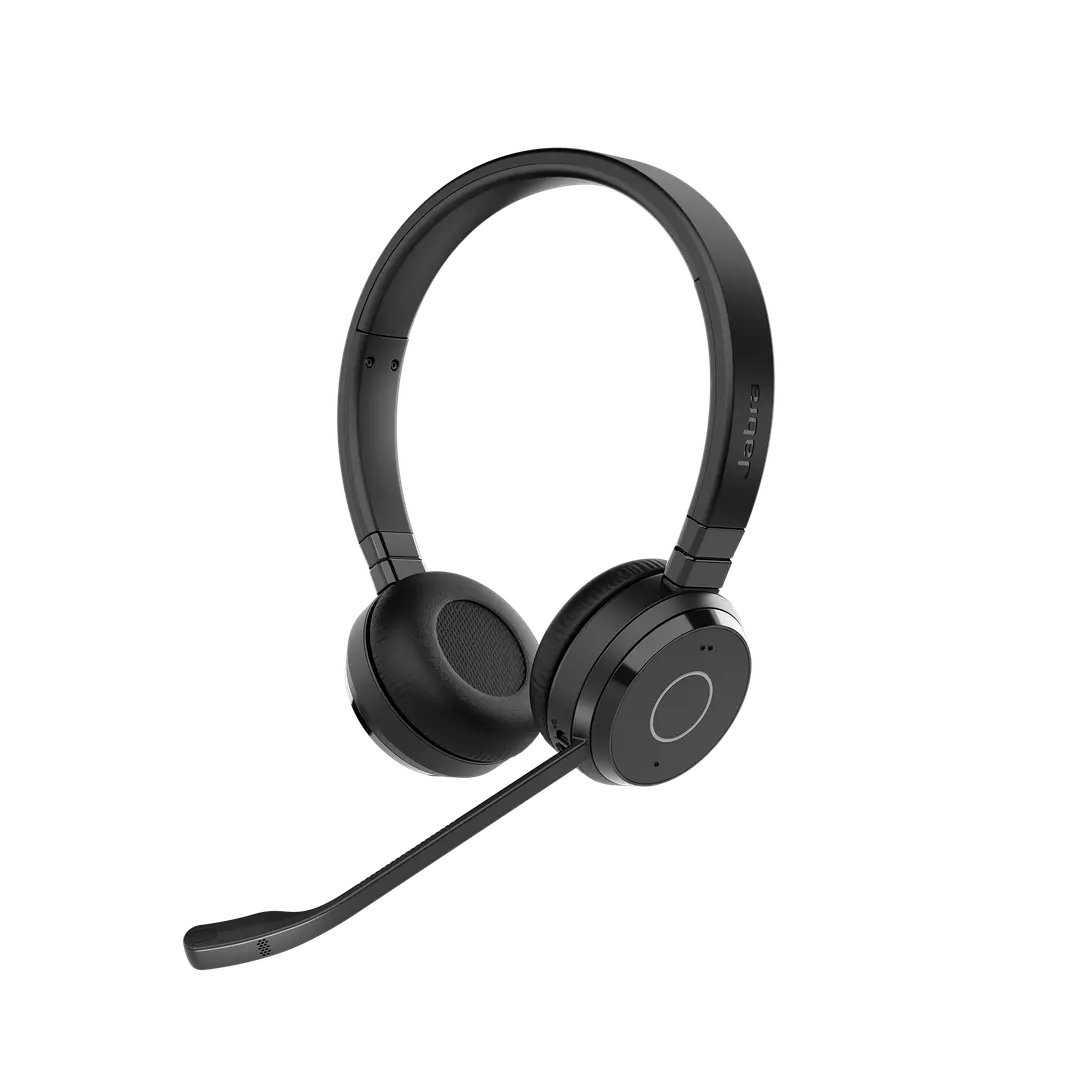
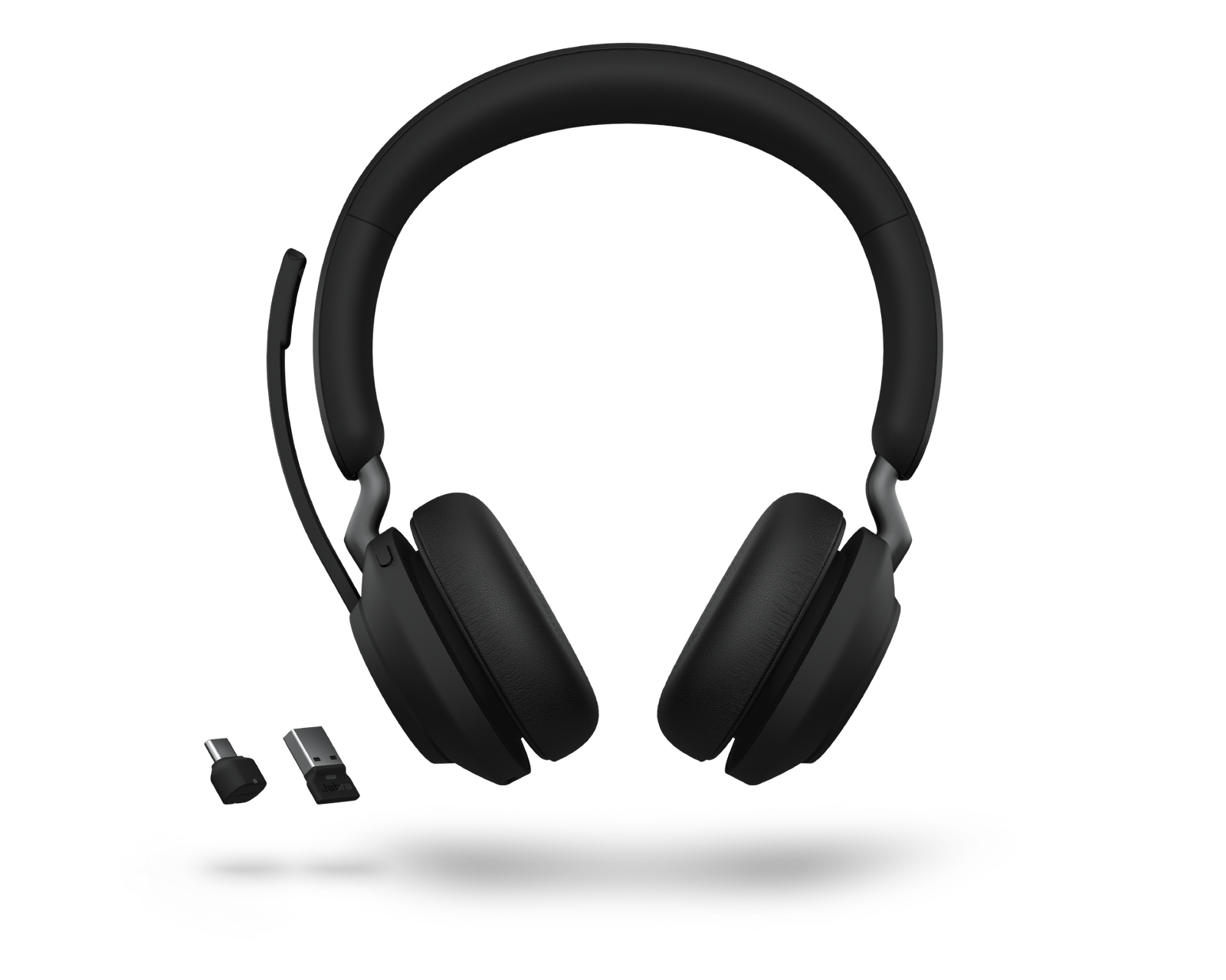
The Jabra Evolve 65 Stereo is a wireless on-ear headset for calls, online meetings and music. It connects to your computer through an included USB Bluetooth adapter and to your phone at the same time. It suits office workers, hybrid teams and students who want to move around freely while on calls.
Key Features & Benefits
- Wireless freedom up to 30m: Bluetooth gives you up to 30 metres of range from your laptop or phone. As a result, you can walk to the printer, kitchen or another room without ending the call.
- Connects to two devices at once: Pair your computer and smartphone together, then switch between Teams calls and phone calls automatically. Therefore, you don’t need separate headsets for desk and mobile.
- Full-day battery: Up to 16 hours of talk time covers a long workday or a full day of online classes. Additionally, you can keep using the headset while it charges over USB.
- Integrated busylight: A red light on the ear cup switches on during calls. Colleagues and housemates see at a glance that you shouldn’t be interrupted.
- Noise-cancelling boom microphone: The uni-directional mic focuses on your voice and filters out surrounding sound. The boom also folds up into the headband when you’re just listening to music.
Technical Specifications
Wireless & Connectivity
- Bluetooth version: 5.2
- Wireless range: Up to 30m (100ft)
- USB adapter: Jabra Link 390 Bluetooth adapter (USB-A) – pre-paired for plug-and-play use with a PC or Mac
- Multipoint: Connects to 2 devices at the same time
- Paired device memory: Up to 8 devices
- Bluetooth profiles: A2DP, HFP, HSP, AGHFP
- Wired option: USB cable connection for charging while in use
Battery
- Talk time: Up to 16 hours
- Music playback: Up to 24 hours
- Standby time: Up to 15 days (360 hours)
- Charging time: Approximately 2 hours
- Battery type: Built-in rechargeable Li-ion
Audio
- Speaker size: 28mm
- Frequency range: 20Hz – 20,000Hz (music)
- Sound mode: Stereo (both ears)
- Noise control: Passive noise isolation from on-ear cushions (no active noise cancellation)
Microphone
- Type: Boom microphone, uni-directional, noise-cancelling
- Frequency range: 100Hz – 7,000Hz (wideband voice)
- Mute: Mute button, plus boom-arm mute
Controls & Indicators
- Controls: On-ear buttons for answer/end call, mute, volume up/down, play/pause
- LED functions: Integrated busylight, incoming call alert
Hearing Protection
- Technology: Jabra SafeTone
Compatibility & Certification
- Microsoft Teams: Certified (MS version)
- UC platforms: Works with Zoom, Google Meet, Cisco, Avaya and other leading softphones (UC version optimised for these)
- Devices: Windows and macOS computers (via Link 390 adapter), Android and iOS smartphones and tablets (via Bluetooth)
- Software: Jabra Direct (settings and firmware updates), Jabra Xpress (IT mass deployment)
Design & Comfort
- Wearing style: On-ear headband
- Ear cushions: Leatherette over foam – replaceable
- Weight: Approximately 106g
- Colour: Black
In the Box
- Jabra Evolve 65 Stereo headset
- Jabra Link 390 Bluetooth USB-A adapter
- USB-C to USB-A charging cable
- Carry pouch
- User documentation
- Charging stand (only on stand bundle versions)
Warranty
- Manufacturer warranty: 2 years (Jabra limited warranty)
Who Is the Jabra Evolve 65 Stereo Ideal For?
Business and Office Use
Managers and team members who move between desks, meeting rooms and the kitchen stay on calls without a cable. The busylight cuts interruptions in open-plan offices. Furthermore, the USB adapter gives a stable connection to company laptops without Bluetooth pairing hassles.
Hybrid and Remote Workers
Use the same headset for Teams calls on your laptop and WhatsApp or regular calls on your phone. It switches between them automatically. In addition, 16 hours of talk time means you won’t need to charge it mid-day.
Students
Online lectures, group calls and revision with music all run from one headset. You can move around your room or hostel without unplugging anything. However, students mainly on a tight budget may prefer a wired model such as the Jabra Evolve2 30 SE.
Customer Support Teams
Agents who need to fetch files or walk to a supervisor stay connected within 30m. That said, call centres with very long shifts should consider the newer Evolve2 65 for its longer battery and 3-mic system.
Will It Work With Your Setup?
Does the Jabra Evolve 65 work with Microsoft Teams, Zoom and Google Meet?
Yes. The MS version is certified for Microsoft Teams. The UC version is optimised for Zoom, Cisco, Avaya and other UC platforms. Both work as standard audio devices in Google Meet and other calling apps.
Can I connect it to my laptop and phone at the same time?
Yes. Plug the Link 390 adapter into your laptop and pair your phone over Bluetooth. The headset connects to both at once and answers whichever device rings.
Does my laptop need built-in Bluetooth?
No. The included Link 390 USB adapter handles the wireless connection. It is also more reliable than most laptops’ built-in Bluetooth for calls.
What if my laptop only has USB-C ports?
The included Link 390 adapter is USB-A. You’ll need a USB-C to USB-A adapter. Alternatively, connect directly over your laptop’s built-in Bluetooth.
How long does the battery last?
Up to 16 hours of talk time or 24 hours of music. A full charge takes about 2 hours. You can also use it plugged in while charging.
Does it have active noise cancellation (ANC)?
No. The on-ear cushions provide passive noise isolation, and the microphone reduces background noise for the people you’re calling. For ANC, consider the Jabra Evolve2 65 Flex or Evolve2 75.
How does it compare with the Jabra Evolve2 65?
The Evolve2 65 has larger 40mm speakers, 3 microphones and up to 37 hours of battery. The Evolve 65 is lighter and usually more affordable. Choose the Evolve 65 for everyday office use and the Evolve2 65 for heavy call loads.
Important Notes (for merchant verification before publishing)
- Which generation is this? Jabra has sold three versions under the Evolve 65 name, with different specs. This description is written for the current Evolve 65 TE (Link 390 adapter, Bluetooth 5.2, up to 16 hours talk time). Check the box:
- Evolve 65 TE: Part numbers 6699-833-309 (MS), 6699-839-409 (UC), or 6699-833-399 / 6699-833-499 with stand. Link 390 adapter. Description is accurate as written.
- Evolve 65 SE: Part numbers 6599-833-309 (MS), 6599-839-409 (UC), or 6599-833-399 / 6599-833-499 with stand. Link 380 adapter. Change talk time to up to 12–14 hours and update the adapter name to Link 380.
- Original Evolve 65: Link 360 or 370 adapter, older Bluetooth, NFC pairing. Discontinued – confirm specs before listing.
- MS or UC version: Confirm from the part number and update the certification lines.
- Charging stand: Confirm whether the unit includes a charging stand. Remove it from “In the Box” if not.
- Warranty: Jabra’s manufacturer warranty is 2 years. Confirm whether your local distributor honours 2 years or offers a different term.
Available at Novelty Technologies Solutions







Reviews
There are no reviews yet.